 ArmLog
Before opening day.
One admin does the setup. Anyone else who joins waits for that admin's approval, so nothing goes live half-built.
- Create the leagueYou become its first admin, and there's no credit card to enter.
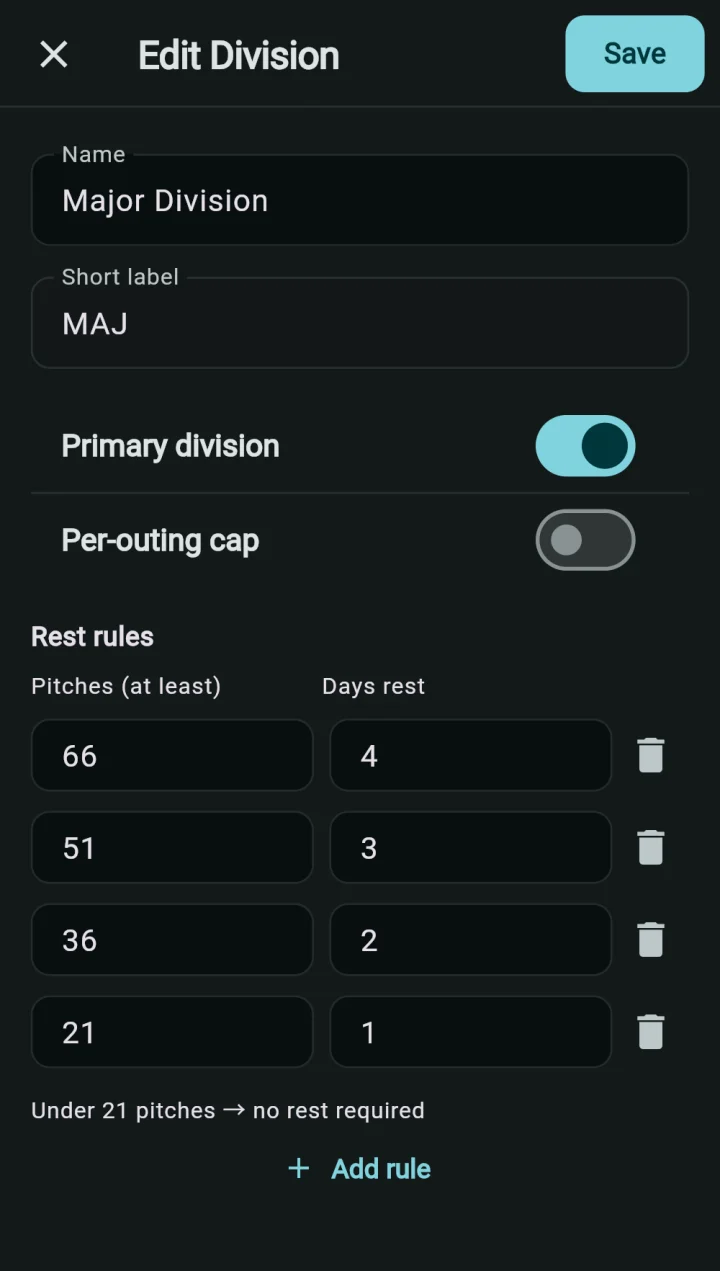
- Check your divisionsNew leagues start with Minor, Major, All-Star and OBA Select. Rename them, add your own, and type in your board's rest table.
- Add playersPaste a list of names, one per line, into a division; jersey numbers and teams can come later.
- Build teamsMake each team, then paste names to assign them all at once. Put a player on every team he plays for, Select and All-Star included. A "players without a team" list catches anyone you missed.
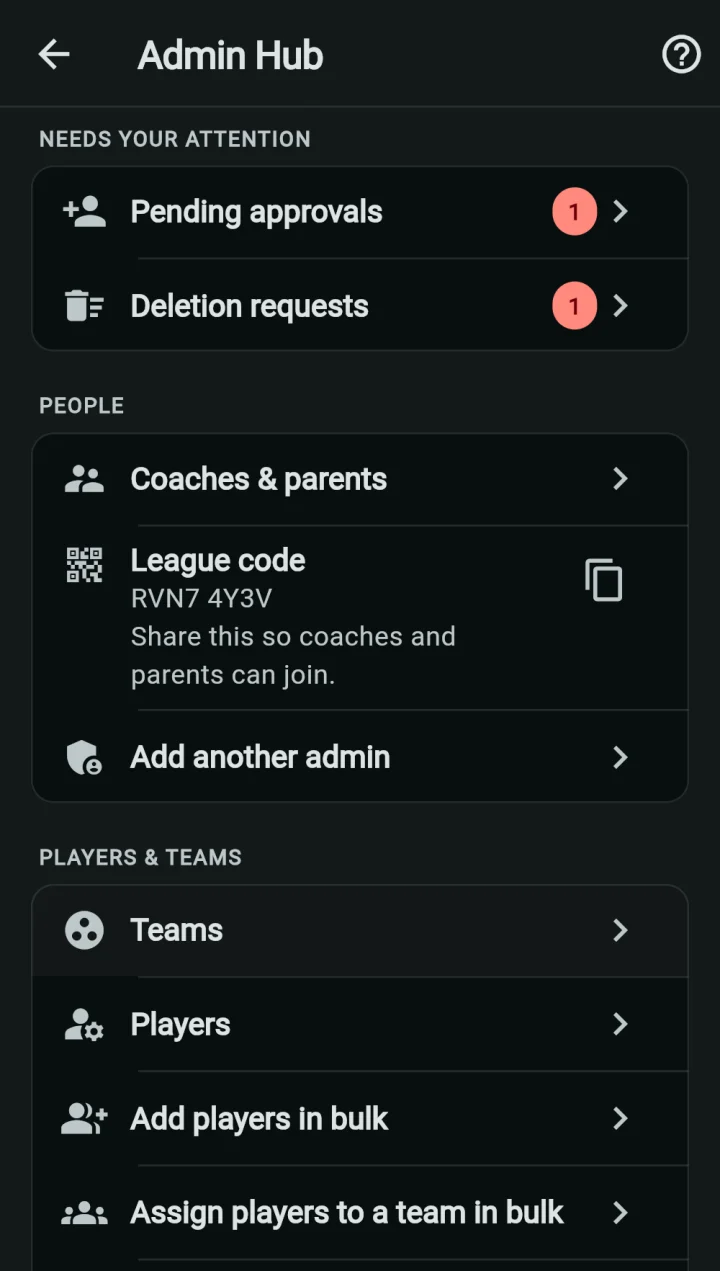
- Share the league codeCoaches and parents make an account and enter it. You approve each person and confirm their teams.
Two kinds of division.
Every player has exactly one primary division, normally Minor or Major. It holds the rest table and the optional per-outing cap. Additional divisions, like All-Star and Select, have no rules of their own: their pitches count toward the player's primary division, and its table decides.
A league always keeps at least one primary division; the app won't let you remove the last one.
Game day, for a coach.
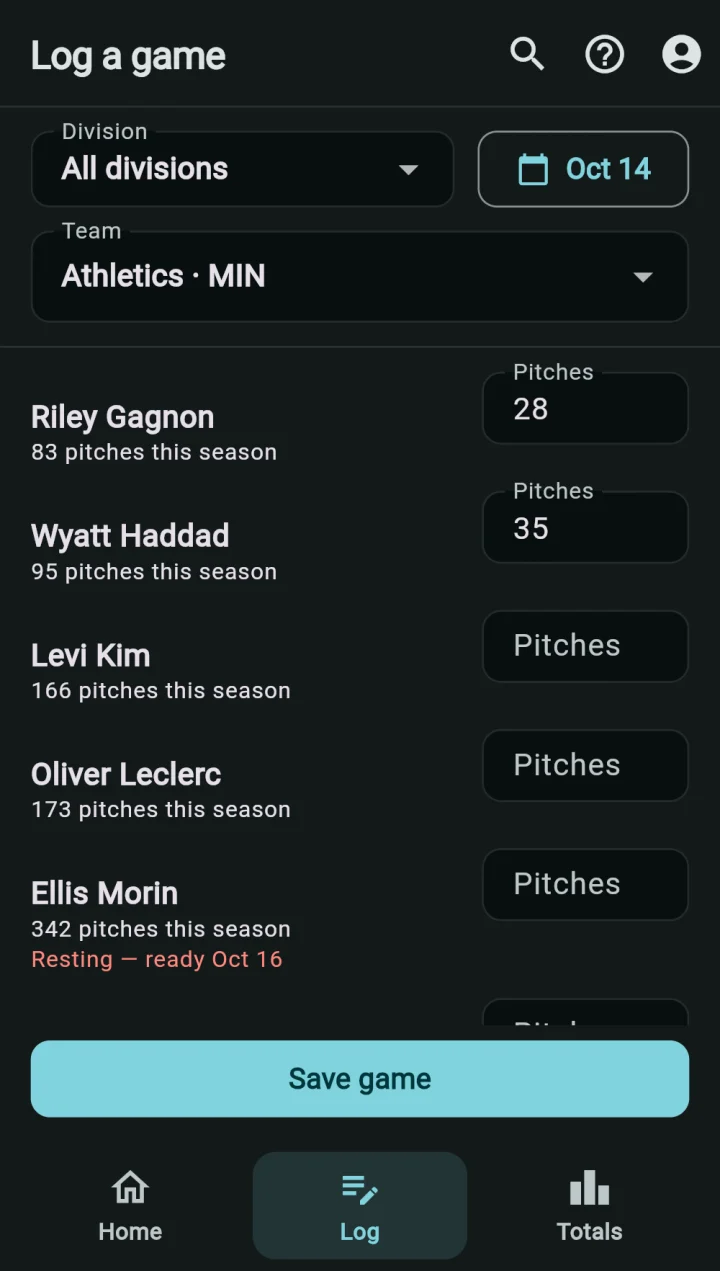
On the Log tab, pick the team and the date once, type a count beside each pitcher who threw, and save. Leave everyone else blank. The date is its own field, so a game can be logged the next morning under the right day. A coach logs only for their own teams.
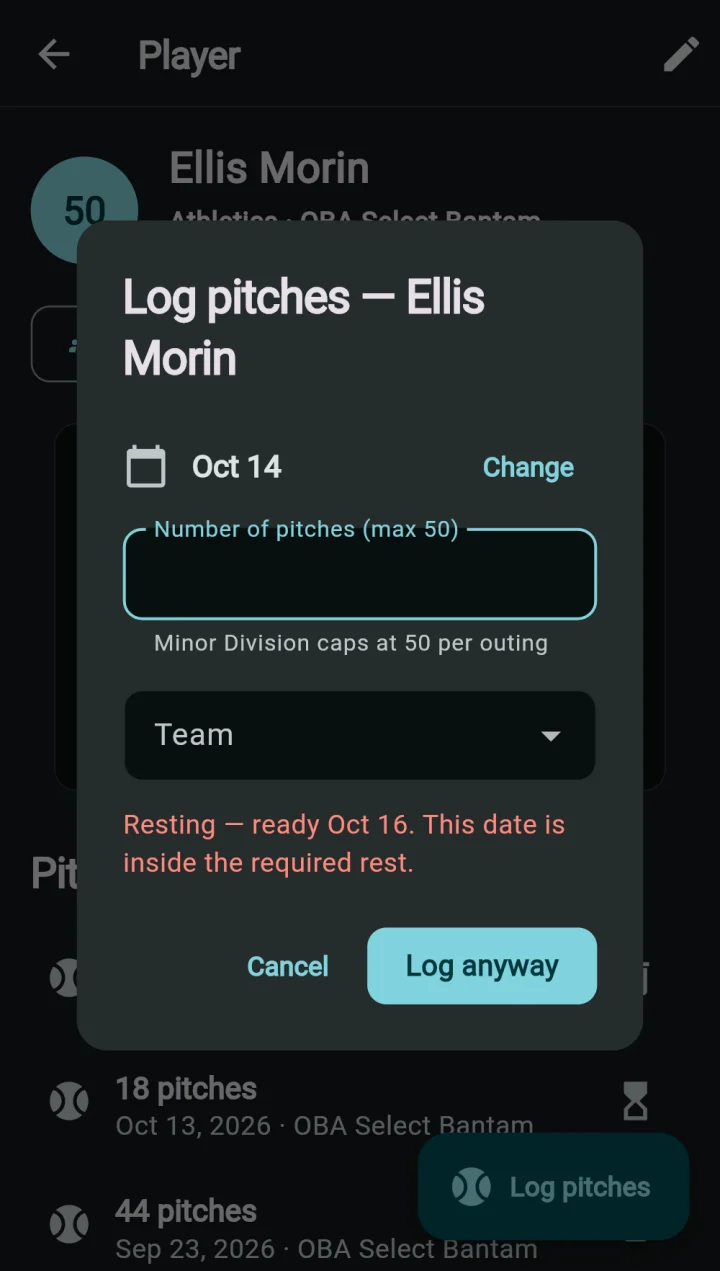
- A pitcher still inside his rest is flagged under his name, with the date he's ready
- Saving him anyway takes a second tap
- A count over the division's cap is caught as it's typed
- If his rest can't be checked, he's flagged too
When a count is wrong.
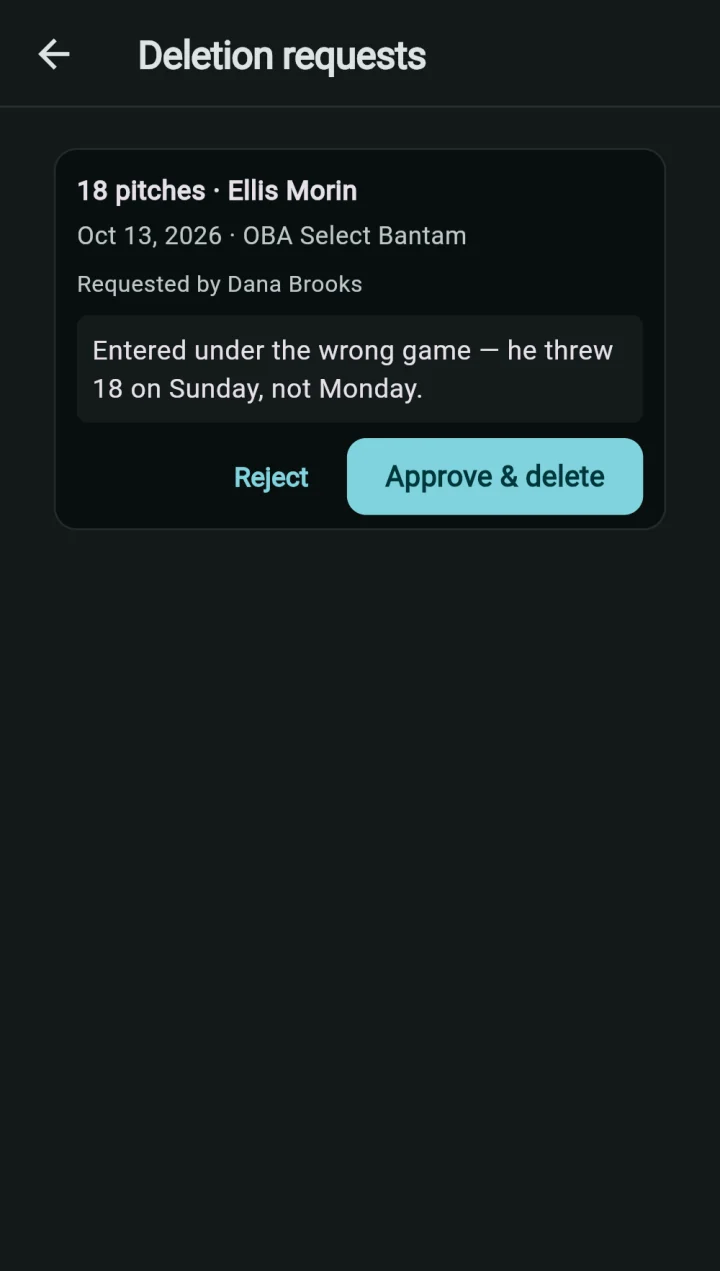
No one can edit a logged count. A wrong one is deleted and logged again, and after the first five minutes, deleting it needs an admin.
The coach who entered it deletes it themselves.
The coach sends a request with a note saying why.
Sees it at the top of the Admin Hub and approves or rejects it.
Who can do what.
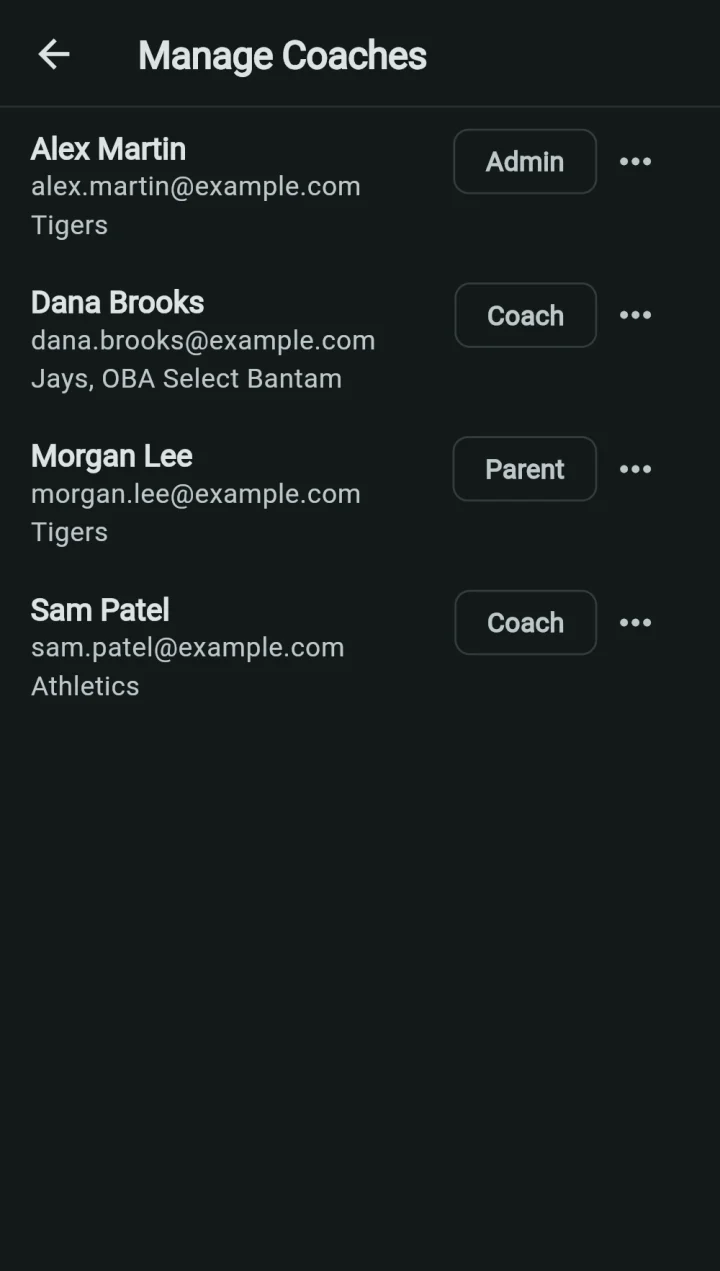
Three roles, and each league's security rules enforce them, so it isn't just hidden buttons. Everyone joins with the same league code and waits for an admin.
| In your league | Admin | Coach | Parent |
|---|---|---|---|
| See every player, team and rest status | ✓ | ✓ | ✓ |
| Log pitches | Any team | Own teams | — |
| Delete an outing | Any | Own, within 5 min | — |
| Edit player and team details | ✓ | ✓ | — |
| Create or delete players and teams | ✓ | — | — |
| Divisions and rest rules | ✓ | — | — |
| Approve members, change roles | ✓ | — | — |
| Billing, delete the league | ✓ | — | — |
Parents can look but can't change anything. A coach can't change their own role or teams. A league can have more than one admin, and always keeps at least one.
When the rules change.
Only an admin can edit divisions, rest tiers and caps. If the division is in use, the app warns before saving.
- Every player's rest is re-checked straight away, past outings included. Someone Available this morning can show Resting after you save, or the reverse.
- Pitch counts never change. Only the verdict does.
- Adding an All-Star or Select team mid-year works the same way: an additional division, its players assigned, and their pitches count from then on.
If a payment lapses.
Rest status is a child-safety answer, so it never goes behind a paywall.
- TrialFree through March 31, 2027, with no credit card.
- 5 days leftA banner on Home counts down. Admins tap it to subscribe.
- UnpaidA 7-day grace period.
- After thatLogging pitches and editing rosters stop. Everyone can still see who's resting and when they're ready. Nothing is deleted.
End of season.
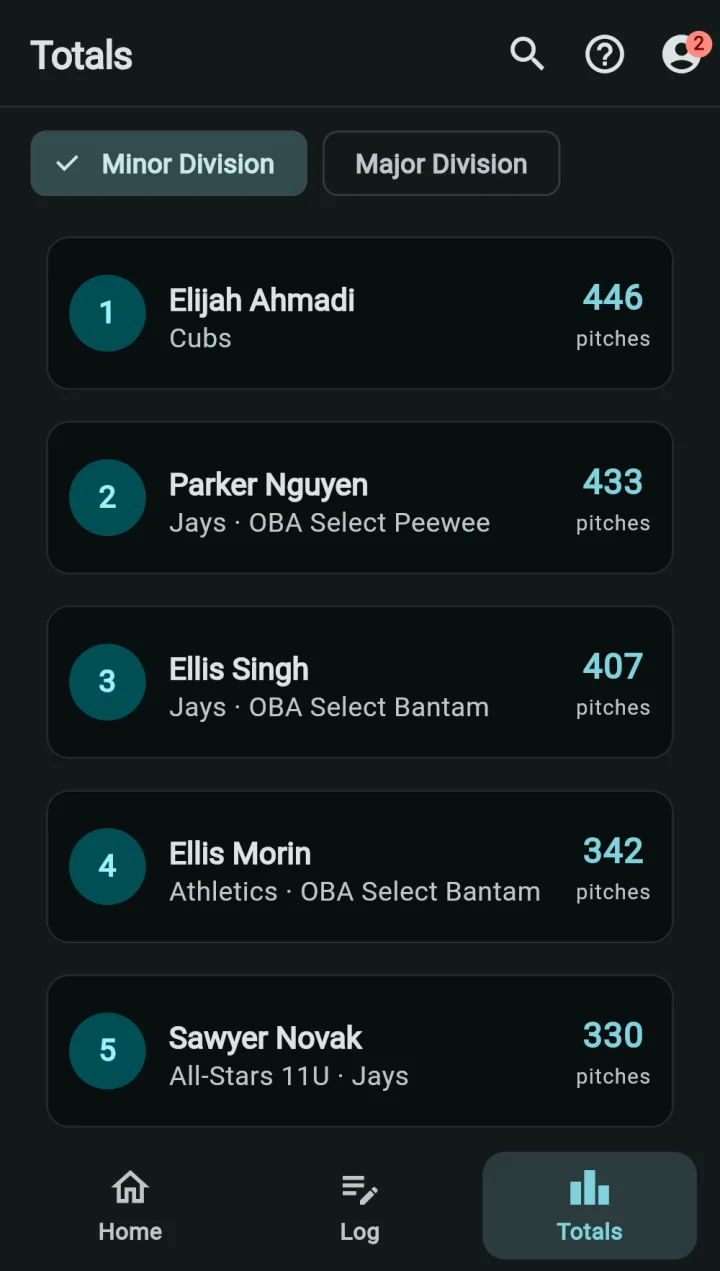
The Totals tab ranks pitch leaders in each primary division. Each player's total includes every team he pitched for, All-Star and Select included. Records stay in your league until an admin deletes them.
Your league's data.
The answers a board's privacy question usually needs. The full detail is in the privacy policy.
Its own database
Your league's records sit in a database of their own, not a table shared with other leagues, and its security rules name your league.
Stored in Canada
League records are stored in Montréal (Google Cloud). Sign-in is run by Google and may be stored outside Canada.
No accounts for kids
Children don't make accounts. Adult coaches and admins enter player records.
Removing a child's record
A parent asks the league admin, or emails privacy@armlog.ca.
Leaving
Anyone can delete their own account. An admin can delete the whole league from inside the app, and every player, team and pitch record goes with it.
Payments
Card details go to Stripe. ArmLog never sees or stores card numbers.
Show it to your board.
Start a league and set it up with your own divisions before the meeting. Try free through March 31, 2027. No credit card. Then $500 CAD for 2027 (launch price), $750 a year after that.